
Website monitoring your team can actually rely on
Pingify watches the signals that keep production healthy and sends clear alerts through the channels your team already uses. Fast checks, useful context, and a setup that takes minutes.
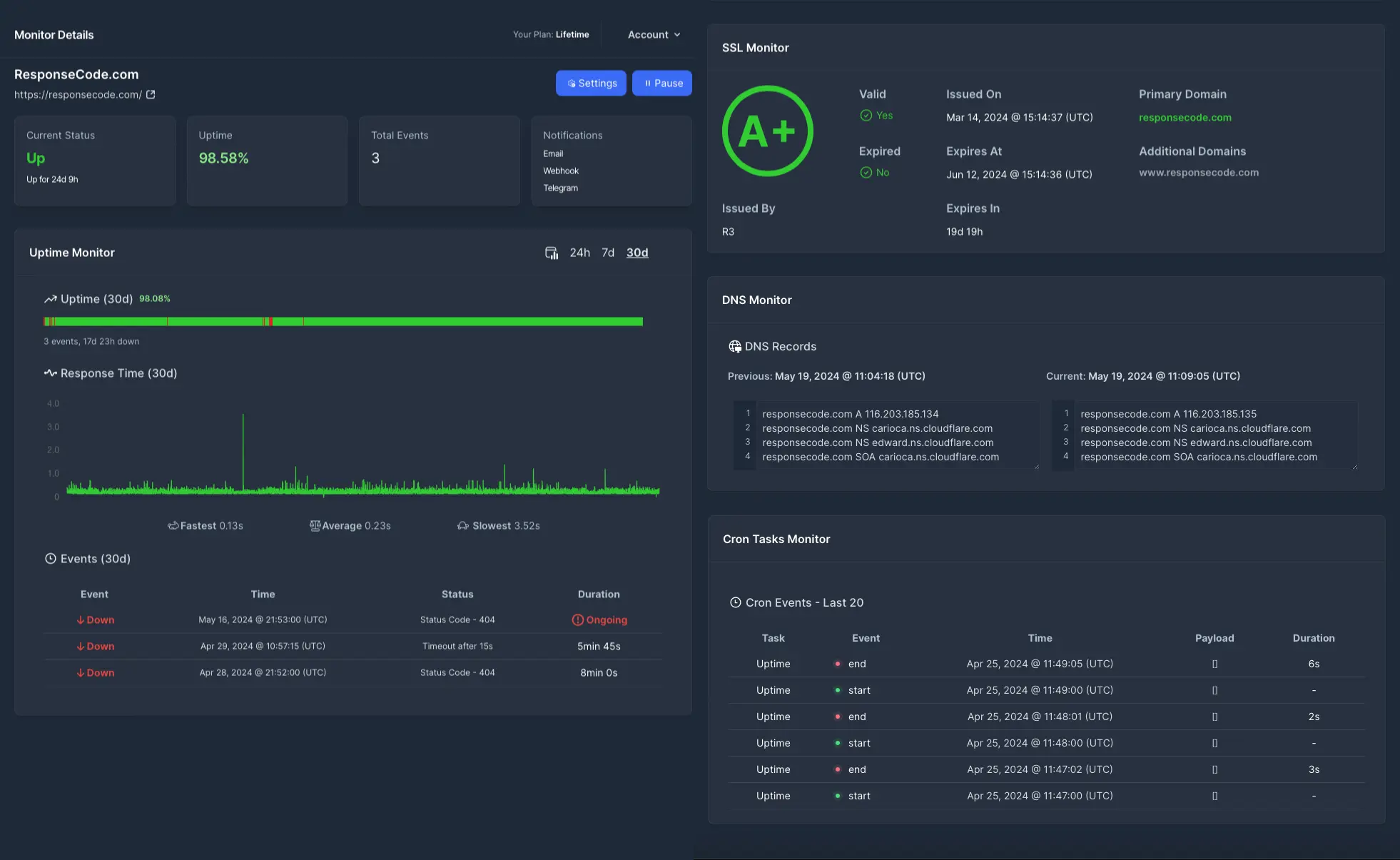
When a monitor fails, Pingify includes the failing endpoint, status code, response time, and alert channel history.
As Seen On





Built for the failures that teams usually find too late
Pingify checks the public-facing pieces your customers depend on and turns incidents into clear, actionable alerts.
Website and API checks
Monitor pages, endpoints, status codes, response time, and required keywords so a partial failure does not look healthy.
Certificate and DNS changes
Catch SSL expiry windows and unexpected DNS updates before visitors see browser warnings or land on the wrong host.
Scheduled job visibility
Use cron monitoring to verify backups, imports, queues, reports, and other background jobs run when they should.
From signup to useful alerts in one pass
The setup is intentionally small: define what matters, choose who gets notified, and let Pingify do the checking.
Add the service
Enter a website, API endpoint, DNS record, SSL certificate, keyword check, or cron heartbeat.
Set alert rules
Choose the people and channels that should receive downtime, recovery, expiry, or failed-job alerts.
Review incidents fast
Each alert includes the monitor, failure type, response details, and recovery status so you can act quickly.
No credit card required
Monitoring suite
One place to see what changed and who was notified
Pingify is intentionally direct: configure monitors, route alerts, review incidents, and publish status updates without bolting together separate tools.
Uptime and HTTP
Validate status codes, latency, redirects, and page content with one-minute checks.
SSL and domain health
Track certificate expiry and DNS record changes that can break access or trust.
Cron and background jobs
Detect missed heartbeats from scheduled tasks before silent failures pile up.
Status pages
Share service status publicly when incidents affect customers or internal stakeholders.
Get Alerted Your Way
Send incidents to the places your team already checks, including native iPhone push alerts from the Pingify app.
iOS app
Push alerts when you are away from your desk
Use the Pingify iPhone app to check monitors and receive push notifications alongside your team channels.

Customer proof
Trusted by founders and teams who need dependable alerts
Real users call out the practical parts: fast uptime checks, SSL and DNS visibility, cron monitoring, and notifications that arrive with useful context.
"Pingify provides reliable, real-time updates and peace of mind knowing my site is always up and running. The setup was simple, and the notifications are incredibly fast and accurate."

"You can even test SSL certificates and DNS records, which is incredibly useful. The checking interval is as low as 1 minute, and the interface is clean and super easy to use."

"Pingify makes real-time monitoring of websites easy by sending instant downtime alerts. It also monitors keywords, SSL, DNS and cron tasks."

Pricing
Choose the amount of coverage you need today
Every plan starts with a 14-day trial and one-minute checks. Pick by monitor count first, then add DNS, cron, and status pages when the workload needs them.
Lite
StarterFor a small site, side project, or landing page that needs uptime and SSL coverage.
excl. VAT
No credit card required
Includes
- 3 monitors for websites or endpoints
- One-minute HTTP, keyword, and SSL checks
- Email, SMS, iOS push, Slack, Telegram, Pushover, and webhooks
- No DNS, cron, or status pages
Essentials
Best fitFor teams that need full monitoring coverage and a status page without unlimited volume.
excl. VAT
No credit card required
Everything in Lite, plus
- 10 monitors for production services
- DNS change detection and cron task monitoring
- Hosted status pages for customer-facing updates
- Unlimited notification seats
Pro
ScaleFor portfolios, agencies, and teams where monitor limits should stay out of the way.
excl. VAT
No credit card required
Everything in Essentials, plus
- Unlimited monitors for websites and services
- Full HTTP, keyword, SSL, DNS, and cron monitoring
- Status pages and all notification channels
- Unlimited notification seats
FAQ
Common questions before starting a trial
The trial is meant for testing Pingify against a real service. Add one monitor, confirm alerts, then expand from there.
Start with one monitor. Add the rest when you are ready.
Use the free trial to check a real website, API, certificate, DNS record, or cron job. No credit card required.
Start free trialNo credit card required • Cancel anytime • Full access to all features